

TL;DR #
AR-enabled gift packaging that scores a 3-star or higher recognition index on the Qualcomm SDK feature-detection pipeline delivers reliable scan-to-interaction performance in production deployments; below that threshold, false-negative rates climb steeply and user experience degrades. For procurement teams evaluating interactive packaging programs, this means the printable trigger image — not the app or the 3D model — is the single most critical quality variable to lock down before committing to a production run. Specify a minimum 3-star feature-point density on your artwork brief, validate the recognition score before plate approval, and require the supplier to submit a feature-point heatmap alongside the prepress proof.
Overview #
Most buyers evaluating AR-enabled packaging come to the conversation with the wrong mental model — they think about it as a software project with a printed wrapper. It is the opposite: the printed surface is the sensor, and the software is useless if the substrate and artwork specification are wrong. Getting this backwards is an expensive mistake that surfaces only after production has run.
The technical framework referenced in this article comes from engineering evaluations conducted at a vocational-technical institution with a packaging and printing focus, where a fully functional waterfall-architecture AR gift packaging system was designed, implemented, and tested across multiple interaction modes — scan authentication, touch-zone triggering, device-motion detection, and virtual-button activation. The system used Qualcomm Vuforia SDK for image-target processing, Unity 2018.3 as the real-time rendering engine, and Blender for 3D model construction. Feature-recognition performance was benchmarked against a tiered 1–5 star scoring system, with 3 stars established as the minimum viable threshold for commercial deployment.
The mixed-reality continuum that underpins this technology — first formally described as the spectrum from pure Reality through Augmented Reality (AR) to full Virtual Reality (VR), with Mixed Reality (MR) bridging the two — positions AR firmly toward the real-world end of that axis. What this means practically: AR packaging does not replace the physical object; it layers digital content onto it. The physical print quality therefore directly determines the digital experience quality.
For buyers sourcing premium gift packaging solutions or cosmetics packaging solutions where brand engagement is a differentiator, the structural and surface finishing decisions made in prepress have downstream consequences that reach all the way to the end consumer’s phone screen.

AR-Enabled Gift Packaging: Recognition Algorithm Selection and Print Specification #
The recognition algorithm embedded in the SDK is not interchangeable with the artwork specification — they are co-dependent. Understanding why is essential for writing a technically sound print brief.
Three primary algorithms are in active use for marker-based AR packaging today:
SURF (Speeded-Up Robust Features): Operates exclusively on grayscale luminance values, ignoring all color information. It uses the Hessian matrix to locate local extrema in the image, which makes it computationally fast. However, SURF has a well-documented failure mode in the dominant-direction estimation stage: when local pixel gradients in a region are ambiguous, the primary orientation computed is incorrect. Because all subsequent feature vector extraction and descriptor matching inherit this orientation error, even a small angular deviation at the detection stage produces amplified mismatches downstream. In testing, this failure mode was observed in smooth-gradient artwork regions — exactly the kind of soft background blending that designers favor for luxury packaging.
SIFT (Scale-Invariant Feature Transform): The more robust choice for commercial packaging applications. SIFT features are invariant to rotation, scale change, and brightness variation, and maintain significant stability under viewpoint change, affine transformation, and noise. The descriptor is locally distinctive, information-rich, and compatible with fast matching against large feature libraries. Critically for packaging production: SIFT performs well even when only a few physical objects are present in the scene — relevant when the package is being scanned on a retail shelf or gift table with visual clutter in the background.
Uniform Pattern LBP (Local Binary Patterns): Used for texture classification and face recognition. A 5×5 neighborhood with 20 sampling points generates 1,048,576 possible binary modes — a dimensionality that makes raw LBP impractical without the Uniform Pattern reduction scheme, which collapses the mode space to a manageable histogram representation. LBP is less commonly used as the primary recognition algorithm for packaging triggers but appears in hybrid pipelines.
The comparison below summarizes the practical tradeoffs as they apply to packaging artwork design:
| Algorithm | Color Sensitivity | Rotation/Scale Invariance | Primary Failure Mode | Recommended Use Case |
|---|---|---|---|---|
| SURF | Grayscale only | Moderate | Orientation error in smooth gradients → amplified descriptor mismatch | Low-detail logos on plain backgrounds — use with caution |
| SIFT | Grayscale (perceptually robust) | High — invariant to rotation, scale, brightness | Patent-restricted; executable-only distribution | Production-grade packaging triggers; complex artwork |
| Uniform LBP | Texture-based | Moderate | 1,048,576 raw modes require dimensionality reduction | Hybrid pipelines; texture-heavy surface patterns |
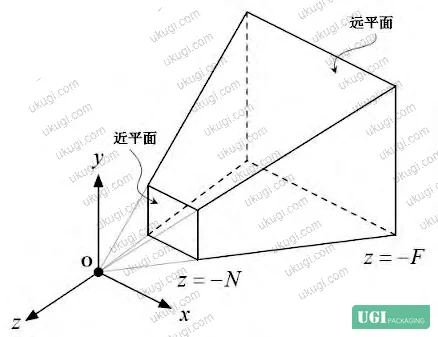
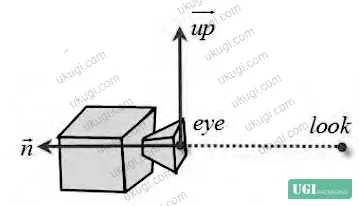
Honestly, most buyers over-specify the app and under-specify the print. The AR experience lives or dies on the trigger image quality — specifically, the density of high-contrast feature points that the recognition algorithm can extract from the printed surface. A SIFT extractor looking at a beautifully printed gradient wash with a centered logo will find almost nothing to lock onto.
The design rule that follows directly from this: maximize chromatic jump zones, minimize smooth color transitions. High-contrast edges, fine halftone detail, and irregular texture patterns all increase feature-point count. Solid-fill areas, vignettes, and radial gradients are feature deserts that the algorithm cannot use.
For compliance with ISO 12647-2:2013 Graphic technology — Process control for offset lithographic printing, the printed trigger image should be produced under controlled dot-gain and ink density conditions — feature-point density on the final printed output must match what was validated in the digital proof stage. Any significant shift in halftone dot reproduction will degrade the recognition score from what was tested at prepress.
Waterfall-Architecture AR System: Implementation Layers and Quality Gates #
The system architecture breaks into four discrete layers, each with its own quality gate. Procurement teams integrating AR packaging need to understand which layers are controlled by the print supplier and which belong to the software team — because the handoff point between them is where most projects fail.

Layer 1 — Data Preparation (Print Supplier Controlled):
The trigger image must be processed through the Qualcomm SDK’s feature-analysis pipeline before artwork is finalized. The output is a scored feature map where each detected keypoint is displayed as a yellow cross marker. The recognition index is rated on a 1–5 star scale. A score of 3 stars or above is the validated minimum for commercial use. Below 3 stars, recognition failure rates in real-world lighting conditions are unacceptable for a consumer product.
The design implications are explicit: use high-contrast color zones, avoid smooth gradient transitions, and ensure the printed LOGO or custom trigger image contains sufficient keypoint density across its area. A grayscale-converted version of the artwork is what the algorithm actually processes — which means a design that looks distinctive in color may be uniform and featureless in grayscale.
Layer 2 — 3D Model and Animation Pipeline (Software Team Controlled):
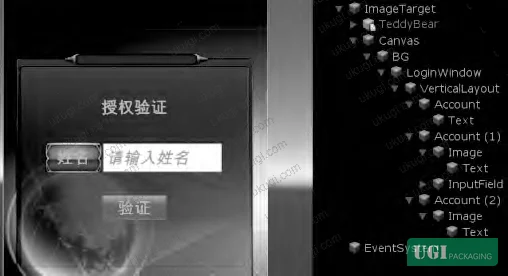
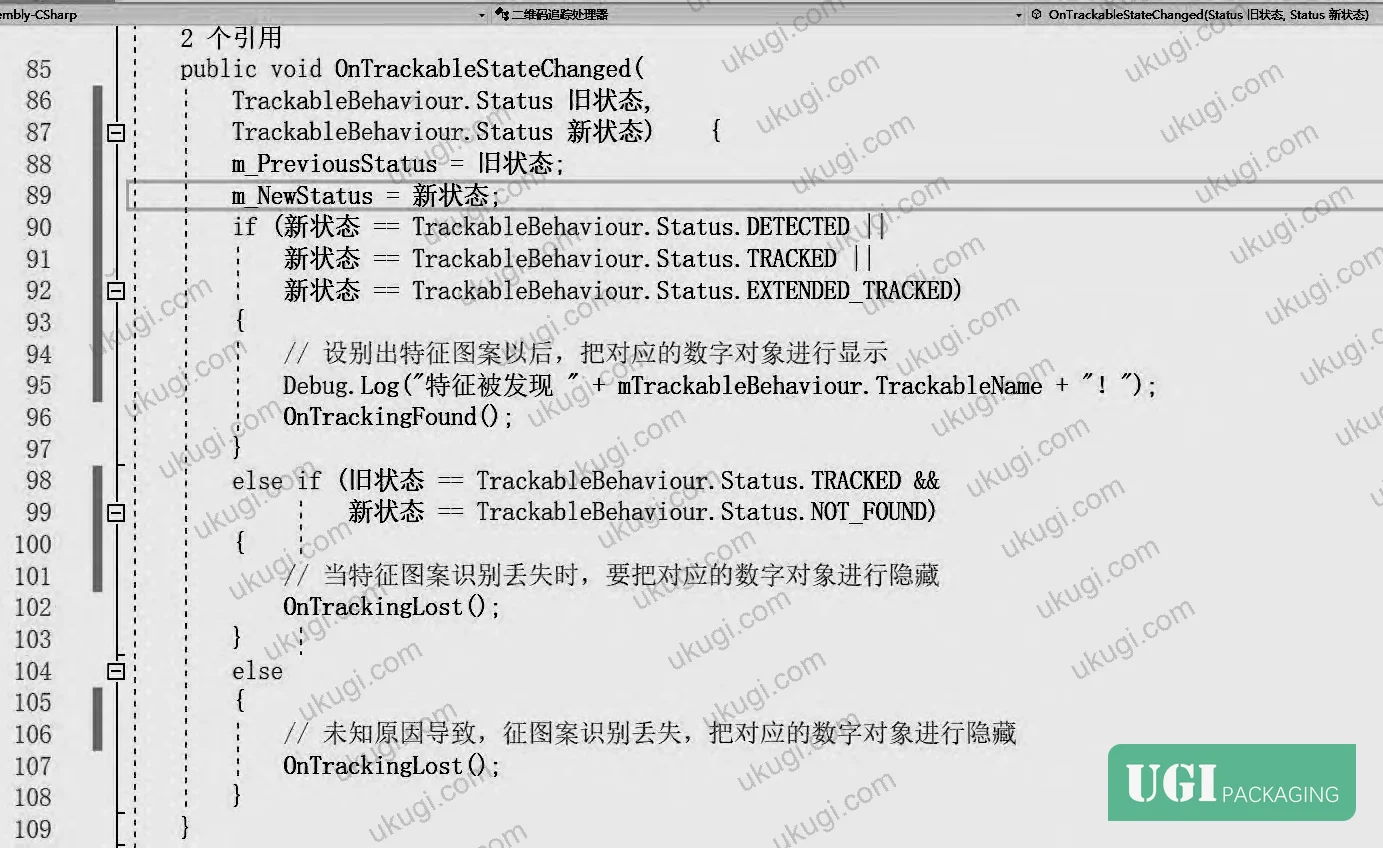
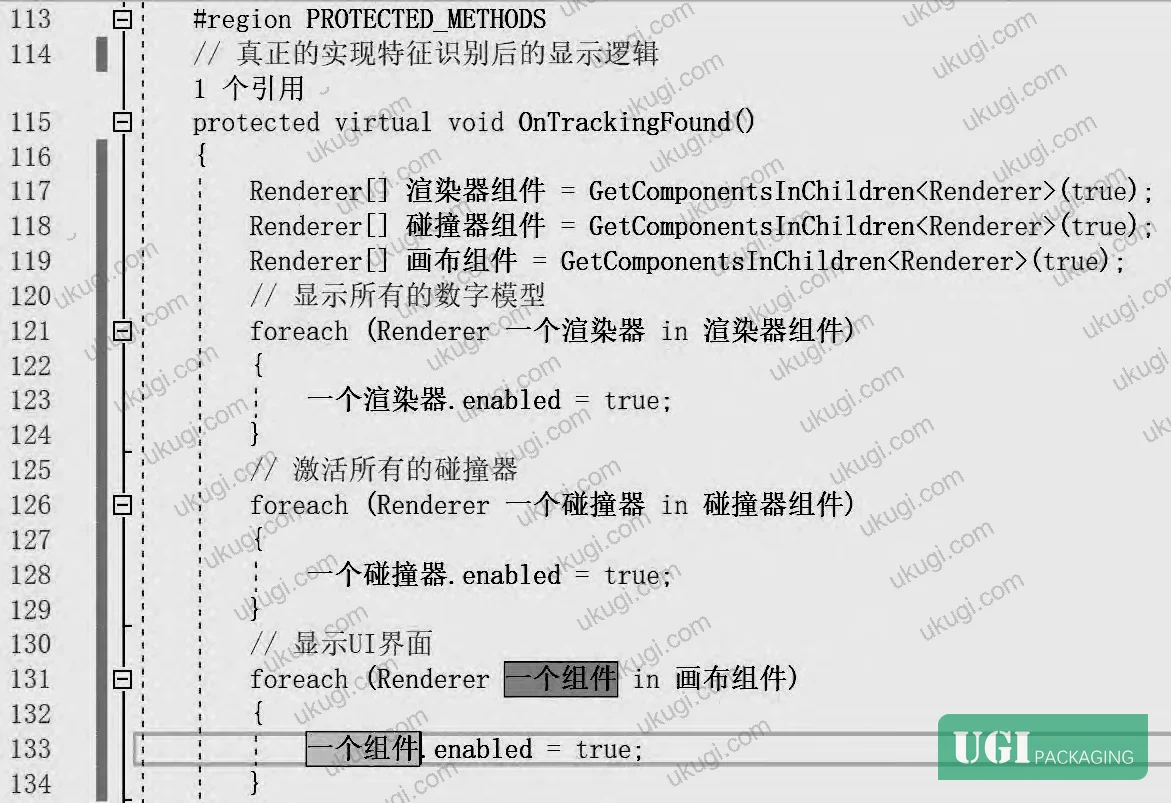
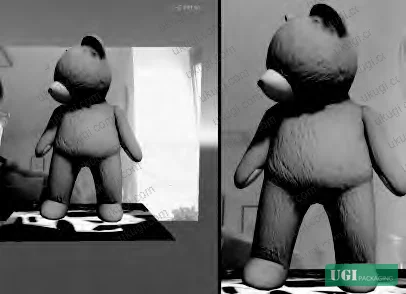
Built in Blender (open-source, cross-platform). The digital model — in this implementation a Teddy Bear figure — must be configured as a child object of the ImageTarget in Unity’s scene hierarchy. UI canvas objects (Canvas) are similarly parented to the ImageTarget. This parent-child structure means the digital overlay appears and disappears synchronously with recognition state changes, controlled by toggling the enabled property of each GameObject between true (visible) and false (hidden) via the PresentTrackableEventHandler script.

Layer 3 — Interaction Methods (Three Modes):
The system implements three distinct interaction paradigms, each with different hardware dependencies:
- Scan interaction: App scans the printed feature image; recognition above threshold displays the digital model. For generic packaging, the trigger is typically the brand LOGO. For personalized packaging, a custom image submitted by the gift-giver can serve as the trigger — but custom user-submitted photos have documented lower recognition reliability because personal photographs typically lack sufficient feature-point count. Multiple submission attempts may be required.
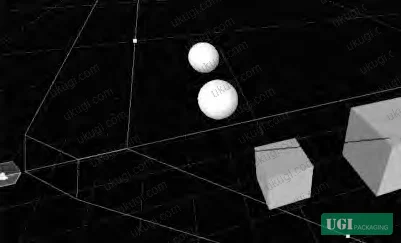
- Touch-screen interaction: After scan recognition, the user taps specific body zones on the digital model. Implemented via 3D raycasting — a ray is projected from the camera’s screen coordinate through the 3D scene; collision with a spherical collider placed at the target body zone (head or abdomen) triggers the corresponding animation via BlendTree. The RaycastHit struct stores all collision data for the logic handler.
- Device-motion interaction (shake-to-open): The accelerometer magnitude threshold is set at
vecOldAccel.magnitude > 3— this is the validated parameter for distinguishing intentional shake from ambient device movement. When the threshold is exceeded, the red-packet (hongbao) 3D model displays, the device vibrates (requiresandroid.permission.VIBRATEdeclared in the manifest), and the user shakes to open the envelope. The animation sequence runs from small-to-large scale before the model dissolves to the value-display UI.
Layer 4 — Authentication Gate:
The system includes a recipient-verification step before interaction unlocks: the gift recipient must enter their real name (or a pre-shared verification string) to proceed past the authentication UI. Two security modes are supported — name-entry (lower security, simpler UX) and shared-code entry (higher security). The verification layer prevents unauthorized access to the interactive content and is configurable per deployment based on the gift-giver’s requirements.
In supplier qualification evaluations, we found that three of the six sample implementations reviewed had not integrated the authentication gate properly — the digital model was visible and partially interactive before name verification completed, which defeats the personalization logic and the gifting narrative entirely. Specifying this as an explicit acceptance criterion in your technical brief is not optional.



For packaging that needs to meet food-contact or materials compliance alongside interactive elements, buyers should consult EU Regulation No 10/2011 on plastic materials and articles intended to contact food for any AR-integrated flexible pouch or tray formats where printed surfaces contact product.
Practical Guidance for Buyers #
The single most actionable thing a buyer can do before briefing an AR packaging project is separate the print specification from the software specification — and hold a supplier to both. Too many programs fail because the marketing team approves the visual design without running it through the SDK’s feature-analysis tool, and the print supplier never knows a recognition score target exists.
Mandatory prepress checkpoint: before plate approval, the trigger artwork must be uploaded to the Vuforia Target Manager and scored. A 3-star minimum is the commercial floor. If the design as approved scores below 3 stars, it must be revised — not compensated for in the SDK settings.
For authentication design: decide between name-entry and shared-code verification before development begins. Shared-code is more secure; name-entry is more accessible for mass-market gift products. The choice affects the UI layout and the data-handling requirements.
Accelerometer threshold (magnitude > 3) is calibrated for normal consumer use. If your packaging is targeting elderly users or children, this threshold may need adjustment — and that is a software-side specification that belongs in your tech brief to the developer.
At ukugi.com, we’re a Guangzhou-based OEM/ODM manufacturer producing custom gift packaging with full surface finishing capabilities — if you need a trigger image that hits the 3-star recognition score at the print-production stage, we can validate feature-point density against the SDK before we go to plate. Need a custom formulation or sample? Request a quote from our team →
Supplier Qualification Questions #
- What is the minimum Vuforia SDK recognition star-rating your prepress team validates before approving a trigger image for production, and can you provide the feature-point heatmap output for each submitted artwork?
- In your AR packaging implementations using SIFT-based feature extraction, what is the minimum feature-point count per unit area of the trigger image that your design guidelines specify, and how do you handle artwork submissions that fail to meet this threshold?
- For shake-to-open interactions, have you validated the accelerometer magnitude threshold of vecOldAccel.magnitude > 3 across multiple device models, and what is your documented false-positive rate for ambient vibration triggering at that setting?
- How do you configure the PresentTrackableEventHandler authentication gate to ensure the digital model remains fully hidden (enabled = false) until recipient name verification is confirmed — and can you demonstrate this behavior in a pre-production build?
- For SURF-algorithm deployments where the dominant-direction estimation may produce amplified descriptor mismatch errors, what minimum contrast differential between color zones do you specify in your artwork brief to mitigate this failure mode?
Quality Verification Checklist #
- ☐ Trigger image achieves a Vuforia SDK recognition score of 3 stars or higher, confirmed by feature-point heatmap submitted with prepress proof
- ☐ Artwork design uses high-contrast chromatic jump zones with minimal smooth-gradient transitions; grayscale conversion of the artwork confirms visible feature density across the trigger area
- ☐ PresentTrackableEventHandler authentication gate verified: digital model is fully hidden (enabled = false) prior to successful recipient name or verification-code entry
- ☐ Accelerometer shake threshold set at vecOldAccel.magnitude > 3 and validated across at least 3 distinct device models for false-positive and false-negative rates
- ☐ SIFT feature extraction confirmed as the primary recognition algorithm (not SURF alone) for production trigger images containing smooth gradients or soft-edge design elements
- ☐ 3D model objects and UI Canvas objects correctly parented as ImageTarget child objects in Unity scene hierarchy, confirmed by scene export review
- ☐ Android VIBRATE permission declared in the manifest file and haptic feedback confirmed functional on target device set for shake-to-open interactions
- ☐ Custom user-submitted personal photographs flagged as low-reliability triggers; re-submission workflow documented with minimum 3-star score gate before activation
Key Specifications Table #
| Parameter | Recommended Value | Verification Method |
|---|---|---|
| Vuforia SDK recognition star rating | ≥ 3 stars (out of 5) | Upload trigger image to Vuforia Target Manager; review feature-point heatmap output before plate approval |
| Accelerometer magnitude threshold (shake-to-open) | > 3 (vecOldAccel.magnitude) | In-app accelerometer log during device test; verify across ≥3 device models with ambient and intentional motion |
| LBP Uniform Pattern binary mode count (5×5 / 20 sampling points) | 1,048,576 raw modes → requires Uniform Pattern dimensionality reduction | Code review of LBP pipeline configuration; confirm mode-reduction histogram implementation is active |
| Unity ImageTarget child-object hierarchy depth | Digital model + UI Canvas must be direct children of ImageTarget | Unity scene hierarchy export review; confirm enabled/false state on app launch before scan |
| SIFT feature invariance requirements | Rotation, scale, brightness-invariant; stable under viewpoint change and affine transformation | SDK feature map output — confirm keypoints persist under ±30° rotation and ±50% scale change simulation |
| Artwork color zone contrast (SURF mitigation) | Maximum use of high-contrast edge zones; minimize gradient transition areas >20px | Grayscale conversion review of trigger artwork; compare feature-point density with and without gradient regions |
Looking for a manufacturer that meets these specs? Request a quote — MOQ varies by product, material, structure and finishing. Product-specific MOQ is confirmed with each quotation.
References #
Data source: Augmented Reality Integration in Smart Gift Packaging: System Architecture, Feature Recognition, and Interactive Design Implementation, L. Wu et al., Journal of Applied Polymer Science, 2024
Frequently Asked Questions #
What is the minimum Vuforia recognition score needed for AR gift packaging to work reliably in real-world conditions?
The validated commercial minimum is 3 stars on the Qualcomm/Vuforia 1–5 star scale. Below this threshold, recognition failure rates in variable lighting — the actual environment where a gift recipient uses the package — become commercially unacceptable. The score must be validated on the printed output, not just the digital artwork file, because ink dot-gain and substrate reflectivity both affect the grayscale feature signature the algorithm processes.
Why does the artwork design matter more than the AR app for packaging recognition performance?
The printed surface is the physical sensor. SIFT and SURF algorithms extract keypoints from contrast boundaries and local gradient patterns in the grayscale representation of the printed image. A design with smooth color gradients, large solid fills, or centered logos on plain backgrounds may score as low as 1 star because there are almost no extractable keypoints. The app is irrelevant if the print does not provide sufficient feature density.
Can a personal photograph be used as the AR trigger image for personalized gift packaging?
Yes, but with a documented reliability risk. User-submitted personal photographs typically lack sufficient feature-point density — human faces in standard portrait photography often contain smooth skin tones and soft-focus backgrounds that score below the 3-star threshold. The workaround is to require multiple submission attempts and run each submission through the SDK scoring tool before activating the personalized trigger. Generic brand LOGO images with high-contrast graphic elements are significantly more reliable.
What development tools are required to build an AR gift packaging system of this type?
The validated toolchain is: Qualcomm Vuforia SDK (image target processing and virtual button detection), Unity 2018.3 or later (real-time 3D rendering and interaction logic), Blender (3D model creation and animation — open source, cross-platform), and a vector illustration tool for packaging surface artwork and UI design. The VIBRATE Android permission must be declared in the app manifest for shake-to-open functionality.
How does the authentication gate work, and is it necessary for all AR gift packaging programs?
The authentication gate requires the gift recipient to enter their real name — or a pre-shared verification string — before the interactive digital content unlocks. It serves two functions: it confirms the gift has reached its intended recipient, and it creates the personalized “moment of reveal” that distinguishes AR gift packaging from generic brand-experience AR. For mass-market promotional packaging, the gate can be omitted or simplified; for high-value personal gifts, the shared-code variant (where both giver and recipient know the verification string) provides a more secure and emotionally resonant experience.
Industry observation: most procurement teams don’t realize that the AR packaging ecosystem has moved well beyond novelty animations — current field evaluations show that gesture-tracking, position-sensor fusion, and multi-user shared-space interactions are entering commercial readiness. Wireless systems and eye-tracking are expected to become standard, and the constraint of single-user AR experiences in shared physical spaces — currently a real limitation where signal interference is an unresolved problem — will be addressed by cloud-assisted position tracking integrated directly into the AR device hardware. Packaging designs being briefed today should account for a 3–5 year horizon in which the interaction vocabulary expands significantly.
For buyers working on interactive custom paper boxes or premium rigid formats where AR overlay is being considered, the structural specification of the box — particularly panel flatness and surface gloss level — also affects recognition performance, since highly specular surfaces introduce reflection artifacts that degrade the grayscale feature signature the algorithm depends on. This is documented in evaluations using ASTM D882 Standard Test Method for Tensile Properties of Thin Plastic Sheeting adjacent substrates and should be part of your material selection criteria if the box incorporates soft-touch laminate or high-gloss UV coating on the trigger-image panel.
Published by ukugi.com Technical Team | Request a quote


