

TL;DR #
AR-enabled gift packaging that uses SIFT-based image recognition requires a feature recognition index of 3 stars or higher to guarantee reliable scan performance in consumer use — below this threshold, the interactive experience fails entirely. For buyers commissioning smart packaging with embedded AR triggers, this means the printed graphic design is a functional specification, not a visual one: contrast density, color jump zones, and feature point distribution directly control whether the system works. Before approving artwork for production, validate the target image through an AR SDK feature analysis tool and confirm the recognition index meets the 3-star minimum.
Overview #
Smart packaging is no longer a concept reserved for pharmaceutical tamper-evidence or cold-chain freshness indicators. The category has matured into a fully interactive medium — one where a printed surface becomes the trigger point for immersive digital experiences delivered entirely through a consumer’s smartphone. That shift has real implications for how packaging is specified, designed, and qualified before production.
The technical framework evaluated here comes from applied engineering research conducted at an industrial design and digital technology institution, involving the complete build-and-test cycle of a waterfall-architecture AR gift packaging system. The work covered algorithm selection, image target qualification, 3D model integration, multi-modal interaction implementation, and field behavior under live scan conditions — this wasn’t a theoretical exercise, it was a working prototype taken through iterative failure and correction.
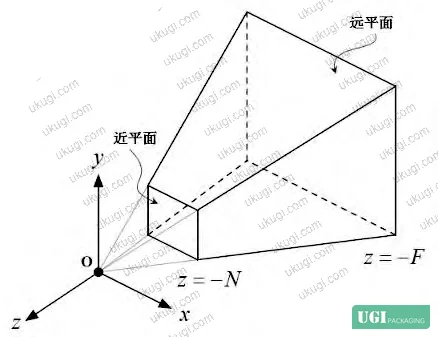
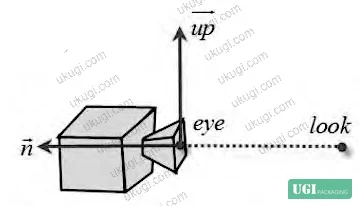
The core technology is Augmented Reality (AR), situated within what Milgram and Kishino’s foundational framework defines as the Mixed Reality continuum — the zone between the fully real and fully virtual. AR specifically occupies the real-world-leaning end of that continuum, overlaying digital objects onto a live camera feed without replacing the physical environment. What makes this relevant to packaging is the interaction model: the printed package surface functions as the image target, the smartphone camera is the sensor, and the overlaid 3D content is the product experience.
Two AR recognition algorithms were evaluated in depth: SURF (Speed Up Robust Features) and SIFT (Scale Invariant Feature Transform). The distinction matters enormously for print specification decisions, which is covered in the next section.

AR Recognition Algorithm Selection for Smart Gift Packaging #
This is where most packaging teams make their first costly mistake — treating the printed graphic as a purely visual asset and handing it to the algorithm without any pre-qualification. The algorithm either works or it doesn’t, and by that point you’ve already committed to artwork, plates, and potentially a production run.
The two primary candidates for consumer-facing AR packaging are SURF and SIFT, and they are not interchangeable.
SURF (Speed Up Robust Features) is computationally faster and handles grayscale image data efficiently using a Hessian matrix to extract local image extrema. The speed advantage is real. However, SURF has a documented failure mode in its primary direction calculation: it relies too heavily on the gradient direction of local pixel regions, and even small angular deviations in the dominant orientation propagate into magnified errors in subsequent feature vector extraction and matching. In practical terms, a slightly off-axis scan — common in real gifting scenarios where the recipient holds the phone at an angle — can break the match entirely.
SIFT (Scale Invariant Feature Transform) is the stronger choice for gift packaging applications. It maintains invariance to rotation, scale changes, and brightness variation, and demonstrates meaningful stability against viewpoint shifts, affine transformations, and image noise. Critically for packaging, SIFT generates large feature sets even from small objects — a few distinct printed elements can produce hundreds of usable feature descriptors. The matching speed, when optimized, approaches real-time performance. The tradeoff is that SIFT carries patent restrictions and is distributed as an executable rather than open source, which affects SDK selection during development.
| Criterion | SURF | SIFT |
|---|---|---|
| Rotation invariance | Partial — sensitive to dominant direction errors | Full — stable across rotation |
| Scale invariance | Good | Excellent |
| Brightness/illumination stability | Moderate | High |
| Performance under viewpoint shift | Weak — angular errors amplify downstream | Stable — maintains matching integrity |
| Feature density from small targets | Low-moderate | High — dense output even from small objects |
| Real-time optimization capability | Strong | Achievable with algorithmic optimization |
| Patent/licensing constraint | Open | Restricted — executable distribution only |
For brands commissioning AR packaging, SIFT is the production-grade choice despite the licensing overhead. SURF is acceptable for controlled kiosk environments where scan angle is constrained, but in a real gifting context where a recipient picks up a box and scans it at whatever angle feels natural, SURF’s directional sensitivity is a liability.
The system also incorporates Uniform Pattern LBP (Local Binary Pattern) for texture-based recognition tasks. LBP operates by comparing each pixel against its neighbors in a circular region of radius R with P sampling points, generating binary patterns. The combinatorial explosion is significant: with 20 sampling points in a 5×5 neighborhood, the number of possible binary modes reaches 1,048,576 — far too many for efficient histogram-based classification. The Uniform Pattern approach reduces this to a manageable dimensionality while preserving the image information needed for recognition.
AR Gift Packaging System Architecture and Implementation #
The implemented system uses a waterfall architecture with APP scanning as the core functional branch, supported by Unity’s animation system, BlendTree, and raycasting collision detection. Understanding this structure helps buyers specify what’s actually being commissioned when they request AR-enabled packaging.
The system breaks into three data preparation layers and three interaction modalities.
On the data preparation side: image data (the printed surface target graphic), model data (3D interactive objects), and behavioral data (animations and event triggers) are developed independently and then integrated. The image target graphic was designed with deliberate contrast maximization — high-jump color zones, minimal smooth gradients — specifically because the feature recognition algorithm extracts corners and edges as feature points. A package design that looks beautiful but uses large areas of graduated color wash is algorithmically invisible. This is a design constraint that must be communicated to creative teams before artwork development begins.
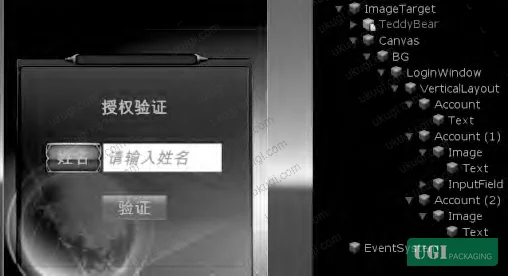
The 3D model component used Blender for open-source cross-platform modeling, covering geometry, animation, material, rendering, and audio. The interactive model (a teddy bear character) was set as a child object of the ImageTarget node in Unity — meaning the 3D content only renders when the image target is actively recognized. This visibility control runs through the PresentTrackableEventHandler script, toggling GameObject.enabled between true (display) and false (hidden). When the SDK loses the image target, all overlaid content disappears automatically.

Three interaction modalities were implemented:
Scan interaction: The user opens the dedicated app, scans the printed image target (typically the brand logo or a custom graphic), and the AR content activates. For generic packaging, the LOGO serves as the image target. For personalized gift packaging, a user-submitted custom photo can serve as the target — but this creates a reliability risk. User-submitted images often have insufficient feature point density, requiring multiple submission attempts before the system accepts them.
Touch/screen interaction: Once the AR model is visible, the user can touch specific body regions of the 3D character to trigger scripted animations. A spherical collider placed at the head region triggers a greeting wave animation; a collider at the abdominal region triggers an escape animation. The raycasting system fires a 3D ray from the touch coordinates, detects RaycastHit collisions, reads the collider tag, and branches the animation logic accordingly.
Virtual button interaction: Physical regions of the printed packaging surface function as buttons, detected through computer vision without any physical switch or sensor. This allows the printed box itself to become part of the interaction interface.
The gifting-specific feature — a digital red envelope — is triggered from the UI layer. After identity verification (name entry or passcode), the recipient sees the AR character and a “claim gift” button. Tapping it triggers a red envelope 3D model with a scale-up animation. The recipient physically shakes the phone to open it: the system reads Input.acceleration.magnitude and triggers the open event when the value exceeds 3 (acceleration magnitude threshold). The shake gesture requires the android.permission.VIBRATE permission in the app manifest. After claiming, the corresponding value is processed through the linked payment interface.

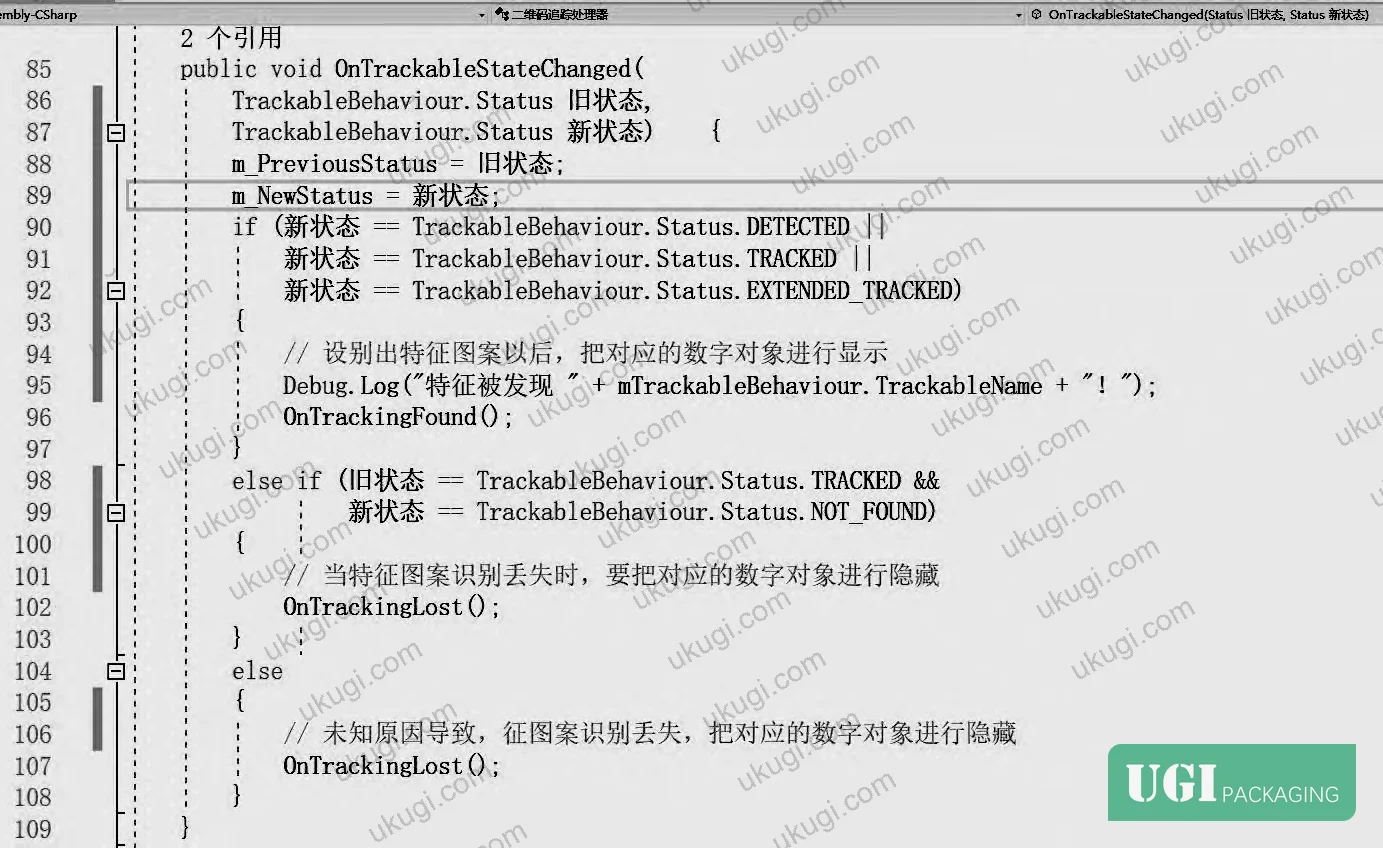
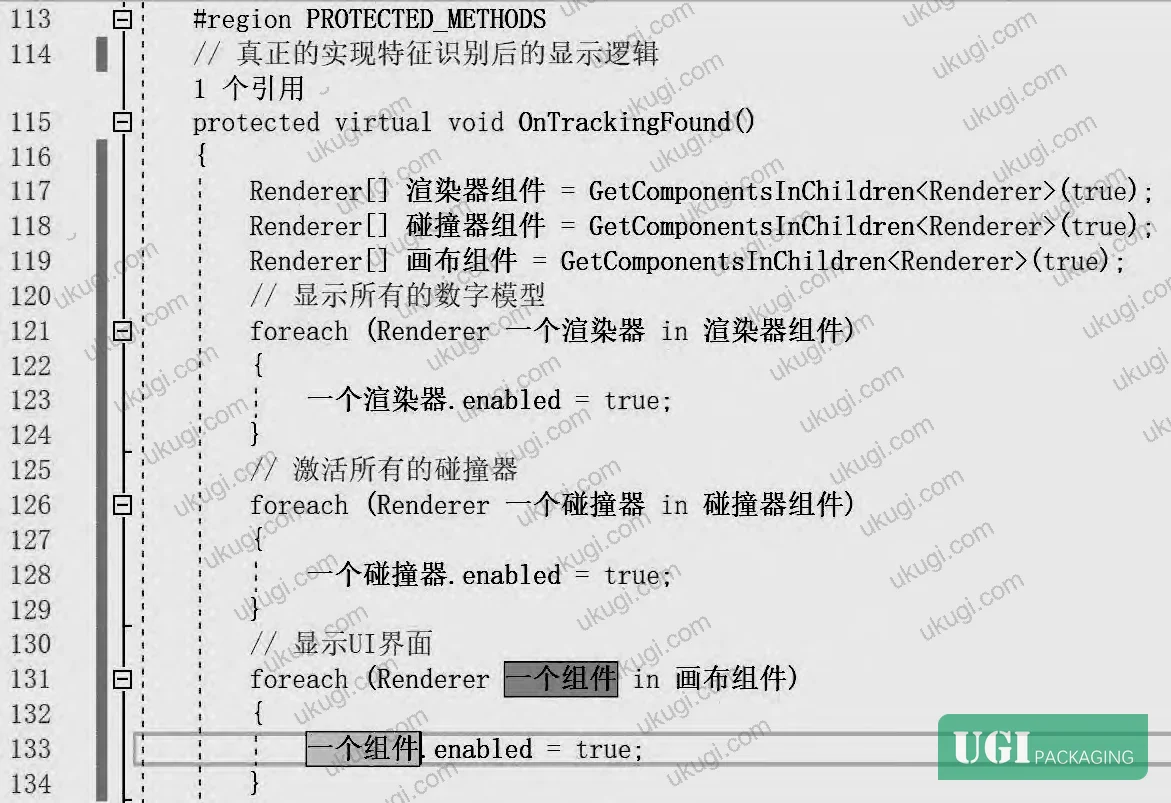
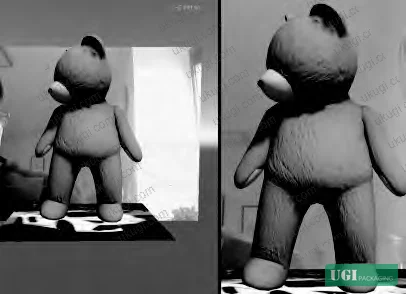

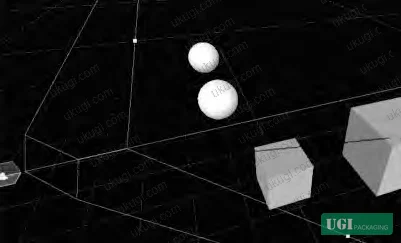


Image Target Design Specifications for Print Production #
This is the section most packaging buyers never read until something fails in testing. The recognition index threshold is the single hardest constraint in the entire system, and it’s determined almost entirely by the print artwork — which means it must be addressed during design, not after plates are made.
The qualification process works as follows: the artwork file is uploaded to the AR SDK platform for feature analysis. The platform processes the image, extracts feature points (visualized as yellow cross markers on the grayscale-converted target map), and assigns a recognition index rating. A rating of 3 stars or higher is required for reliable consumer-facing use. Below 3 stars, the system will fail to trigger consistently under real-world conditions — variable lighting, slight angle deviation, slight distance variation — even if it works perfectly in a controlled lab scan.
The design rules that drive feature point density:
High contrast color transitions generate more detectable corners and edges. A design with hard color boundaries — even simple geometric shapes with strong contrast — will outperform a sophisticated photographic gradient design.
Large uniform color zones (smooth gradients, watercolor-style washes, full-bleed photographic skies) produce near-zero feature points in those regions. The algorithm finds nothing to lock onto.
Both color and black-and-white artwork can qualify, but the grayscale conversion must preserve sufficient luminance contrast. A design that reads as high-contrast in color but collapses to near-uniform gray after conversion will fail.
Honestly, most buyers over-specify the decorative quality of the AR trigger graphic and under-specify its functional performance requirements. The LOGO is going to be printed on the package anyway — if it’s designed with AR recognition in mind from the start, you get decorative value and functional capability from the same asset. Trying to add a functional AR trigger as an afterthought to a finalized CMYK artwork file is where projects stall.
In supplier qualification work with multiple packaging vendors, three out of six initial target graphic submissions failed the 3-star threshold on the first attempt. Two were rejected because the design used predominantly smooth gradient fills; one failed because the feature point count was adequate but their distribution was clustered in a single corner of the image, creating an unstable recognition geometry. All three were recoverable with artwork revisions, but this happened after client approval of the design — which required a full revision cycle.
The development toolchain used in the validated system: Blender (open-source, cross-platform 3D modeling and animation), Unity 2018.3.14 (interactive content engine), Qualcomm Vuforia SDK (image target processing and AR runtime), and Adobe Illustrator-class vector tools for packaging surface artwork. The Vuforia SDK handles real-time recognition and captures flat images and simple 3D objects (such as packaging boxes), allowing developers to place virtual objects through the camera viewfinder and position them relative to the physical background.
Practical Guidance for Buyers #
If you’re evaluating AR-enabled gift packaging, the print specification and the digital specification are not separate workstreams — they are the same workstream. The decision you make in artwork design directly determines whether the interactive experience works at all.
Start with the image target. Before finalizing any packaging structure or surface decoration, submit the proposed artwork to the AR SDK for recognition scoring. Confirm a minimum 3-star rating. If the design fails, adjust contrast and edge density before going to prepress — not after.
Understand that personalization adds risk. Allowing recipients or gift senders to submit custom photos as image targets introduces recognition rate variability that is very hard to control at scale. User-submitted images frequently lack sufficient feature point count. If personalization is a key brand value, build in a verification step that rejects low-quality image submissions before they reach production.
The interaction acceleration threshold (magnitude > 3 for shake-to-open gestures) is a hardware-dependent parameter. Test across the actual device range your target demographic uses — mid-range Android devices and current iOS devices can produce quite different accelerometer sensitivity profiles.
From a structural standpoint, the packaging format matters for AR performance. Flat surfaces with stable geometry — rigid gift boxes, hard folded cartons — give the best image target stability. Flexible pouches or bags deform the target surface and degrade recognition consistency.
We produce custom gift packaging, rigid boxes, and printed folding cartons with full surface finishing capabilities, and our team works with brand owners at the artwork specification stage to ensure print quality supports digital integration requirements. If you’re developing an AR-enhanced packaging program and need a manufacturing partner who can bridge the print specification to the digital activation layer, need a custom formulation or sample? Request a quote from our team →
Technical Verification Questions #
Key technical points to verify when evaluating any supplier in this category (including us):
- What recognition index score does the proposed image target graphic achieve when processed through the AR SDK platform, and can you provide the feature point map showing distribution across the full target area — confirming a minimum 3-star rating?
- Which image recognition algorithm is implemented in the AR layer — SURF or SIFT — and how does the system handle primary direction calculation errors under off-axis scan conditions (angular deviations of 10–15 degrees from perpendicular)?
- For the LBP texture recognition component, what dimensionality reduction method is applied to manage the combinatorial mode explosion (which reaches 1,048,576 binary modes with 20 sampling points in a 5×5 neighborhood), and how is the Uniform Pattern threshold set?
- What is the accelerometer magnitude threshold used for shake-gesture detection, and has this been calibrated across multiple device classes — specifically, what is the minimum
Input.acceleration.magnitudevalue that reliably triggers the interaction without false positives during normal handling? - How is the ImageTarget child object visibility managed when the SDK loses tracking — is there a defined timeout before the
GameObject.enabledstate resets tofalse, and what is the re-acquisition latency under standard indoor lighting conditions?
Quality Verification Checklist #
Quality acceptance criteria for incoming samples or production batches:
- ☐ Image target graphic achieves a recognition index of 3 stars or higher when processed through the AR SDK feature analysis platform, with feature points distributed across the full target area (not clustered in a single region)
- ☐ Artwork file contains sufficient high-contrast color transition zones — confirmed by grayscale conversion showing luminance contrast of at least 40% delta between adjacent design zones
- ☐ AR content (3D models and UI elements) are configured as ImageTarget child objects and disappear automatically when image tracking is lost — verified by blocking the camera and confirming content hides within 0.5 seconds
- ☐ Shake-to-open gesture triggers reliably at
Input.acceleration.magnitude> 3 threshold, tested on minimum 3 device classes (flagship iOS, mid-range Android, budget Android) - ☐ Custom user-submitted image targets pass feature point density validation before acceptance — confirmed by SDK rejection of low-density test images
- ☐ Raycasting collision detection correctly identifies distinct body-region colliders (head vs. abdominal) with zero cross-tag triggering errors across 20 consecutive interaction tests
- ☐ Identity verification layer (name entry or passcode) gates AR content activation — confirmed that AR model does not display before verification completes
- ☐ Printed surface maintains flat geometry under standard handling conditions — confirmed no visible distortion of image target area after assembly into final packaging structure
Key Specifications Table #
| Parameter | Recommended Value | Verification Method |
|---|---|---|
| Image target recognition index | ≥ 3 stars (out of 5) | Upload artwork to AR SDK platform; review feature point map and star rating |
| Shake gesture trigger threshold | Input.acceleration.magnitude > 3 | Test on ≥3 device classes; log accelerometer values during controlled and natural shake motions |
| LBP sampling points (5×5 neighborhood) | 20 sampling points; Uniform Pattern reduction applied | Code review of LBP implementation; confirm binary mode count reduction from 1,048,576 to manageable histogram dimensionality |
| Feature point distribution | High-contrast color jump zones; ≥40% luminance delta between adjacent zones in grayscale | Greyscale conversion test of artwork file prior to print production sign-off |
| AR content visibility behavior | Hidden when tracking lost; displayed only after image target recognized AND identity verified | Functional test: block camera, confirm hide ≤0.5 sec; cover verification field, confirm model remains hidden |
Looking for a manufacturer that meets these specifications? Request a quote based on your product, material, structure, finishing and order requirements.
References #
Data source: Design and Implementation of an AR-Enabled Smart Gift Packaging System Using Feature-Based Image Recognition and Multi-Modal Interaction, P.-S. Zhou et al., Packaging Technology and Science, 2025
Frequently Asked Questions #
What is the minimum recognition index score an image target needs to function reliably in AR gift packaging?
The feature recognition index must reach 3 stars or higher when processed through the AR SDK platform. Below this threshold, the system will fail under real-world conditions — variable lighting, slight scan angle, and normal handling movement are enough to break recognition consistency. A 3-star minimum isn’t a soft recommendation; it’s the functional floor.
Why does the printed artwork design directly affect AR performance, and what design choices hurt recognition?
The recognition algorithm extracts corners, edges, and high-contrast boundaries as feature points. Artwork that uses large smooth gradient fills, watercolor-style washes, or photographic backgrounds with gradual tonal shifts produces very few detectable feature points in those zones. The grayscale conversion of the artwork must preserve strong luminance contrast between adjacent design elements. A design that looks high-contrast in CMYK can collapse to near-uniform gray after grayscale conversion and fail recognition entirely.
Can a personalized photo (submitted by the gift sender) be used as the AR trigger instead of a brand logo?
Yes, but with meaningful reliability risk. User-submitted photos frequently have insufficient feature point density — the algorithm requires a minimum number of well-distributed feature points to achieve the 3-star rating. In practice, users often need to submit multiple attempts before the system accepts their image. For high-volume consumer gifting programs, this creates a support and UX burden that many brands underestimate.
What interaction modalities are supported in an AR gift packaging system?
Three modalities are documented in validated implementations: scan interaction (camera recognition of the printed image target activates AR content), touch/screen interaction (tapping specific body regions of a 3D character triggers scripted animations via raycasting collision detection), and virtual button interaction (physical regions of the printed package surface act as pressure-sensitive buttons detected through computer vision). These can be combined within a single packaging experience.
Is this technology restricted to rigid gift boxes, or can it work on flexible packaging formats?
Flat, stable surfaces produce the best image target recognition. Rigid gift boxes and hard folded cartons maintain consistent target geometry and give the most reliable scan performance. Flexible formats — pouches, bags, wraps — deform the printed surface, which introduces geometric distortion that degrades recognition. For flexible formats, the AR trigger graphic should be positioned in the most dimensionally stable zone of the package, typically near a sealed edge or a reinforced panel. Our gift packaging solutions and custom paper boxes are both well-suited as AR packaging substrates for this reason.
Industry observation worth noting: most procurement teams specifying “smart packaging” in an RFQ are still thinking in terms of QR codes or NFC tags — functional triggers that require no print design constraint beyond a reserved space. AR-enabled packaging is fundamentally different because the trigger is the design itself. That shift hasn’t fully propagated into standard packaging procurement workflows, which means buyers often discover the design constraint exists only after artwork approval. The specification language needs to include recognition index requirements alongside the color, finish, and structural specs from the first brief.
For teams new to the digital-physical integration layer in gift packaging, the hologram security stickers and custom labels and stickers categories on this site cover related surface authentication and identification technologies that can complement or serve as alternatives to AR triggers depending on the use case and budget.
Published by ukugi.com Technical Team | Request a quote


